


TradingView Trade Management: Are You Managing Your Trades or Just Your Entries?


A Good Trade Starts With a Plan
You've identified your setup, checked your levels and decided where to enter.
So far, so good, but have you planned what happens next?
Where will you take profits? When should your stop move to breakeven? Will you take partial profits along the way or leave a position running if the market continues?
These are decisions worth making before entering a trade, rather than reacting to every market movement.
For many traders, the challenge isn't knowing what they want to do. It's managing multiple targets, stops and positions as the trade develops.
And that's where practical trade-management tools can help.
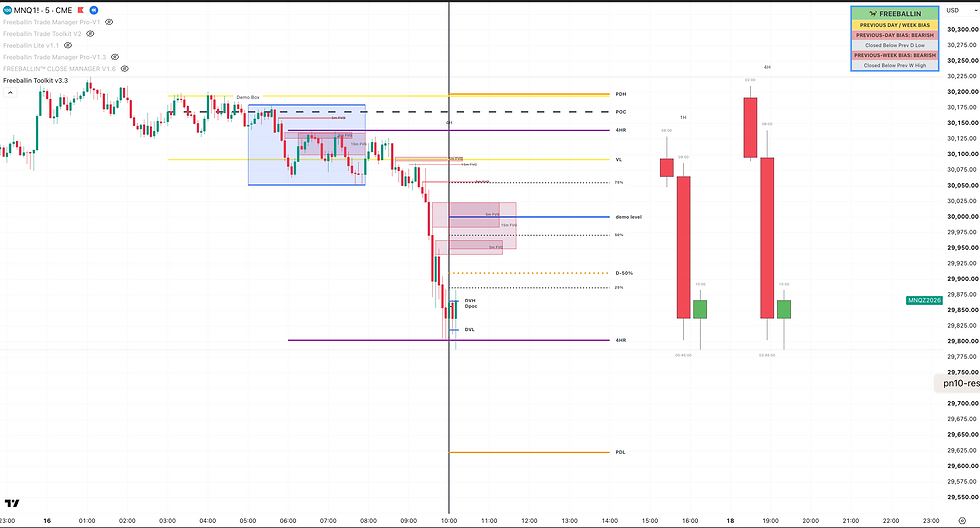
The Challenge With Managing Multiple Targets
You're planning to enter a futures trade with three contracts.
You want to:
Take your first profit at a nearby target.
Take another profit if the market continues.
Leave the final contract running if momentum holds.
Move your stop to breakeven after your first target.
Trail your remaining position as the trade develops.

It's a straightforward plan.
But executing it can become complicated, particularly when markets are moving quickly.
Different orders, changing stop levels and partial position closures all need to work together.
And the more manual adjustments involved, the easier it becomes to lose track of something.
What if you could configure your trade-management plan before the market starts moving?
A More Flexible Way to Manage Trades on TradingView
TradingView provides an excellent environment for analysing markets and identifying opportunities.
But what about managing the trade itself?
That's one of the challenges that led us to develop FREEBALLIN™ Trade Manager, an interactive TradingView tool for configuring and managing positions directly from the chart.
Rather than constantly switching between screens, traders can work with visual controls for entries, targets and stops.
The idea is simple: Plan the trade. Configure the management. Stay in control.
Multiple Take Profits: Why Stop at One?
Why manage partial profits on the fly when you can plan them before entering a trade?
Rather than relying on a single profit target, traders can spread their positions across multiple targets, taking early profits while allowing the remaining position to capture further market movement.
The idea is to plan your exits in advance, reducing the need to make decisions or manually close portions of your position as the trade develops.
FREEBALLIN™ Trade Manager Pro supports up to three take-profit targets and an optional runner, while Trade Manager Lite offers two targets in a simpler interface.
It's about having a plan, managing your position in stages and giving the remaining trade room to develop.

What About Breakeven and Trailing Stops?
Here's a familiar situation.
Your trade moves into profit.
You want to protect your position, but you don't want to close it too early.
Do you move your stop to breakeven? Trail behind price? Give the trade more room?
There's no single answer that works for every trader or market.
FREEBALLIN™ Trade Manager includes configurable stop-management features, with Pro offering additional options such as EMA, ATR and swing-based trailing stops.
These tools allow traders to configure how stops respond as a trade develops.
They don't eliminate market risk or guarantee an outcome, but they can help traders follow their chosen approach more consistently.

Can TradingView Connect to Your Broker?
Managing a trade on TradingView is useful. But what about connecting it to your broker?
FREEBALLIN™ already supports connections through PickMyTrade and TradersPost, using our custom-developed JSON integrations.
Both services connect TradingView with supported brokers, including Tradovate, but offer different approaches to trade execution and position management.
We'll explore the differences in our next article: TradingView Webhooks — PickMyTrade or TradersPost?

Pro or Lite: Which One Do You Need?
Not every trader needs every feature.
If you're looking for practical trade management with two take-profit targets, breakeven controls and a simpler interface, Trade Manager Lite may be a good starting point.
If you want additional targets, an optional runner and more advanced trailing-stop settings, Trade Manager Pro offers greater flexibility.
Both are designed around the same idea:
Your tools should adapt to your trading approach. Not the other way around.

Better Tools. Your Decisions.
Trading will always involve uncertainty.
No indicator, trade manager or execution service can eliminate market risk.
But the tools you use can influence how clearly you plan, configure and manage your trades.
That's what we're focused on at FREEBALLIN™.
Because sometimes the biggest improvement isn't finding another entry setup.
It's having a better way to manage what happens after you enter.
Explore FREEBALLIN™ on TradingView
Discover our trading tools and explore their features.
Follow FREEBALLIN
Stay connected for trading tutorials, product updates and the latest developments.
Australian Trading Technology. Global Ambition.
Built by Traders. Driven by Innovation.
Disclaimer: FREEBALLIN™ develops trading software and technology tools, not financial advice. Trading involves financial risk. Product functionality, broker execution and third-party integrations depend on supported platforms, service availability and individual configurations. Understand and test your trading setup before using it in live markets.
